
Uploading your raw AncestryDNA file to a different platform can feel like a bit of a leap into the unknown, especially if you’ve never done anything with your genetic data beyond viewing your original ethnicity results. It’s a reasonable question to have: what actually happens to that file once you hand it off to a completely different company? This article walks through the process step by step, from the moment you upload your file to the results you eventually see, so there’s no mystery involved in a process that’s actually fairly straightforward, even if it sounds technical at first.
The Technical Journey Your File Takes After Upload
Your AncestryDNA raw file is a plain data file containing a long list of genetic markers read from your original sample. When you upload it to a platform like SelfDecode, that file is transmitted securely to the receiving platform’s system, where specialized software reads through the entries and matches them against a database of research-backed genetic associations. Nothing happens to your original sample or your AncestryDNA account in this process, since the upload only involves a copy of the data file itself, not your original DNA sample or account credentials. The physical sample you originally submitted stays exactly where it’s always been, processed only once, at the very beginning of this entire chain of events.
Why This Process Doesn’t Require a New Sample
Because your raw file already contains the complete set of genetic markers read during your original test, there’s no need for any new lab work at this stage. The receiving platform is simply interpreting data that already exists, applying its own specific set of research findings to markers your AncestryDNA account was never designed to analyze in the first place. In a sense, the file behaves less like a fresh sample and more like an archival document being reviewed by a specialist who knows exactly what to look for within it.
What the Receiving Platform Actually Does With Your Data
Once uploaded, a platform like SelfDecode processes your file specifically for markers connected to health and lifestyle traits, an entirely different category from the markers AncestryDNA uses for ethnicity estimation and matching. This involves comparing your specific genetic variants against published research findings, then compiling that information into readable reports covering categories like metabolism, sleep, mood, and inflammation. The underlying science comes from medical and biological research, distinct from the population genetics research that powers your original ancestry results. In practice, this means the same string of letters and numbers that once told you about your ethnic background is now being read through an entirely different scientific lens, one built around personal health rather than shared population history.
What Doesn’t Change on the AncestryDNA Side
A common concern people have before uploading is whether the process will somehow interfere with their existing AncestryDNA account, family tree, or match list. It doesn’t. Uploading a copy of your raw file to another platform has no effect whatsoever on your original account. Your ethnicity results stay exactly as they were, your DNA matches remain unchanged, and your family tree research continues completely independent of anything happening on the receiving platform. It’s worth repeating plainly: this is a one-way copy, not a two-way sync between accounts.
What You’ll See as a Result
After the upload and processing are complete, you’ll typically receive a set of reports or a dashboard summarizing genetic patterns connected to health and lifestyle traits. It’s worth understanding the scope of what an uploaded file can provide. Since AncestryDNA’s raw file covers a smaller portion of the genome than a dedicated health-focused kit, and since it hasn’t gone through SelfDecode’s in-house lab processing and validation, the resulting preview is genuinely useful but less complete and less precise than results from their own kit. Think of it as a solid first read rather than the final, definitive version of the analysis.
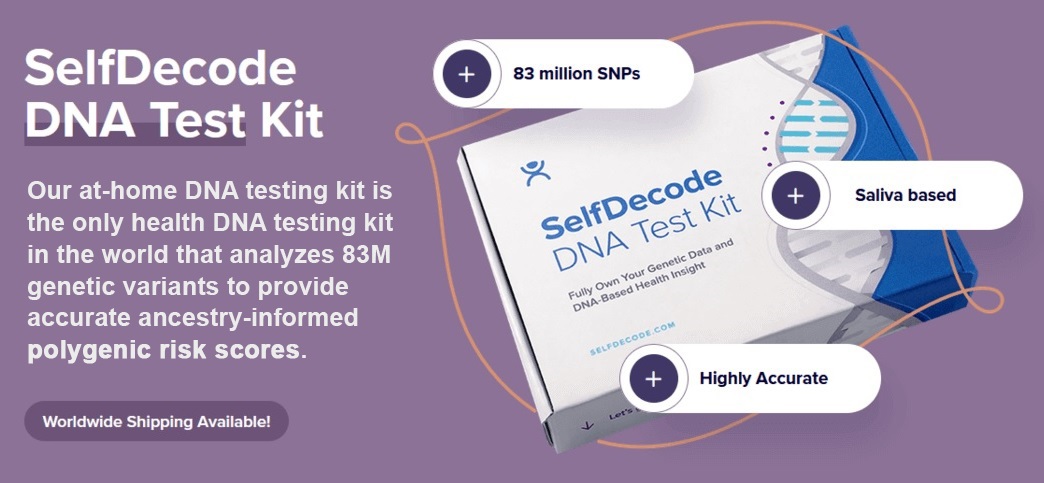
For anyone who wants a more thorough, fully validated version of this process, the SelfDecode At-Home DNA Test Kit reads a much larger share of the genome directly, unlocking detailed reports across a wide range of health categories without relying on a third-party file at all. It’s the more complete version of the exact same journey your AncestryDNA file just took.
What happens when you upload your file somewhere else, in the end, is fairly simple. A copy of data you already own gets read by a different set of eyes, looking for a different kind of story than the one your ethnicity report already told you.
Frequently Asked Questions
Does uploading my AncestryDNA file affect my original account?
No. Uploading a copy of your raw file to another platform has no effect on your AncestryDNA ethnicity results, DNA matches, or family tree research.
Do I need a new DNA sample to upload my file elsewhere?
No. Your raw AncestryDNA file already contains the complete set of genetic markers from your original test, so no new sample or lab work is required.
What kind of analysis happens after I upload my file?
A health-focused platform like SelfDecode compares your genetic markers against research-backed associations related to traits like metabolism, sleep, mood, and inflammation.
Is the resulting analysis as complete as a dedicated health DNA kit?
No. Uploaded files provide a more limited preview, since they cover less of the genome and haven’t gone through SelfDecode’s in-house lab processing and validation, unlike their dedicated kit.
How long does it take to see results after uploading?
The upload and processing typically take only a short amount of time, after which a set of reports or a dashboard summarizing your health-related genetic patterns becomes available.


